Watch the mouth.Hear the word.Say it together.
A friendly bear shows the lips, teeth and tongue for every sound in 825 English words. Your child watches, listens, has a go, and hears their own try next to the bear’s. Speech-sound practice for children and their grown-ups.
Coming soon to the App Store
For iPhone and iPad · first 10 words free · no ads, no accounts
Try it here
Say it with Bear
Pick a word and press Go. This is the app’s own bear and the app’s own timing: each mouth shape lands with the sound, just as it does on an iPad.

Sound on. Five of the app’s 825 words, from lips (mama, ball) to a later sound (rabbit). In the app, Hear me then records your child’s try; this page never uses your microphone.
One turn, three steps
Watch, listen, then your turn
Every word works the same calm way, so a child always knows what comes next. Nothing is timed, and nothing is marked right or wrong.
Watch
The bear says the word with lips, teeth and tongue that move in time with the voice. Each sound has its own little mouth picture, so you can point to it together.
Listen
Slowly first, one part at a time, then at normal speed. Tap the bear to hear it again, as many times as you like.
Your turn
Your child says the word. With Hear yourself on, they hear their own voice and then the bear’s, side by side. Then on to the next word.
Seven levels
From the lips to the trickiest sounds
The levels start with the sounds you can see, like M, B and P, and move to sounds made further back and later, like R, L and TH. Or pick one sound and practise it at the start, the middle or the end of words.
- 1LipsSounds you can see, like M, B and P31words
- 2Tongue tipThe tip of the tongue does the work39words
- 3Back of mouthSounds made further back50words
- 4Blow & buzzAir through the lips and teeth68words
- 5Shush & singLong, smooth sounds92words
- 6Tricky soundsR and TH, which come later100words
- 7Blends & long wordsTwo sounds together, and more parts120words
Levels 1 to 5 are the main words (280). Add-on packs bring the total to 825 words:
Inside the app
Made for the moment you practise together
See every sound take shape
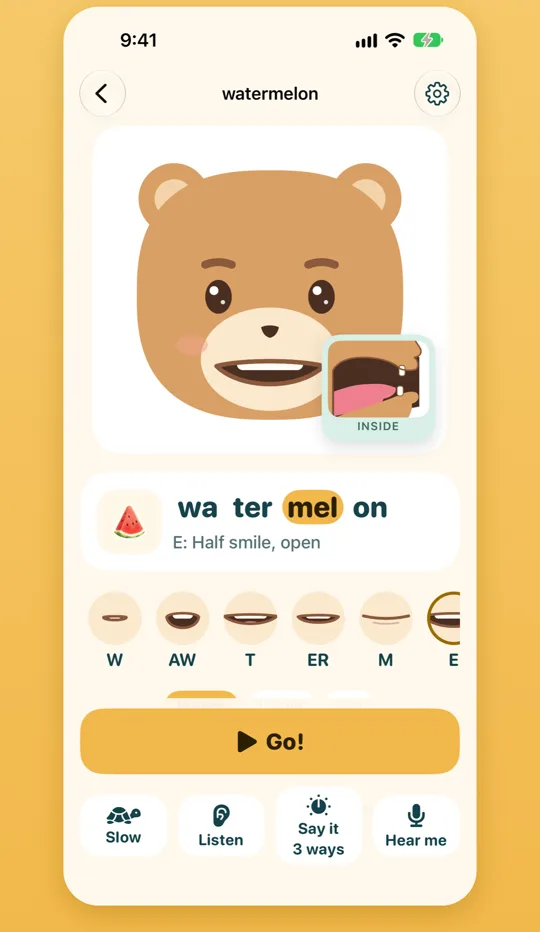
The word is split into parts, and the part being said lights up. Below it, a row of little mouths shows each sound in order, with a plain hint such as “Half smile, open”.
- Slow, then normal: syllable by syllable, then the whole word.
- A bear face, or a child face if your child prefers.
See where the tongue goes
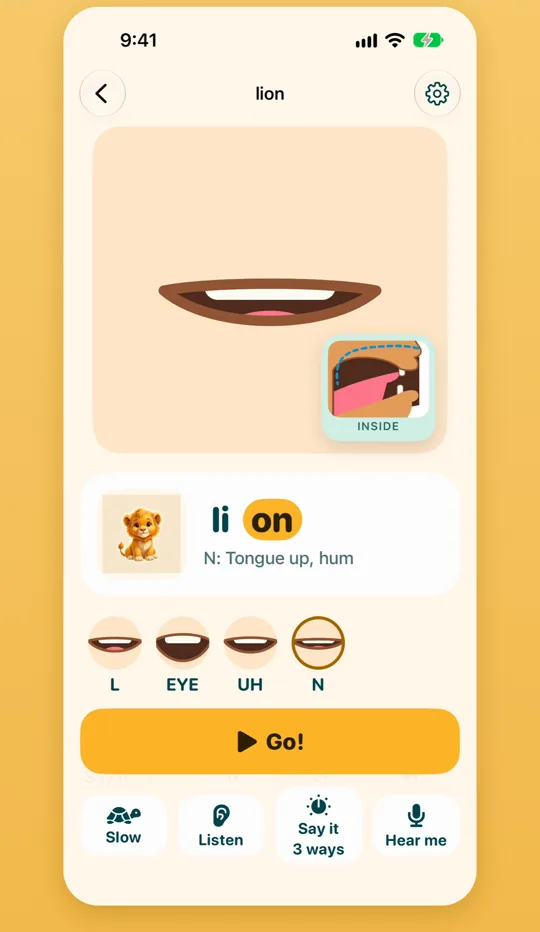
Some sounds hide behind the teeth. The INSIDE view shows the mouth from the side, so you can see the tongue lift for L or N, or stay low for AH.
One sound, every place it lives
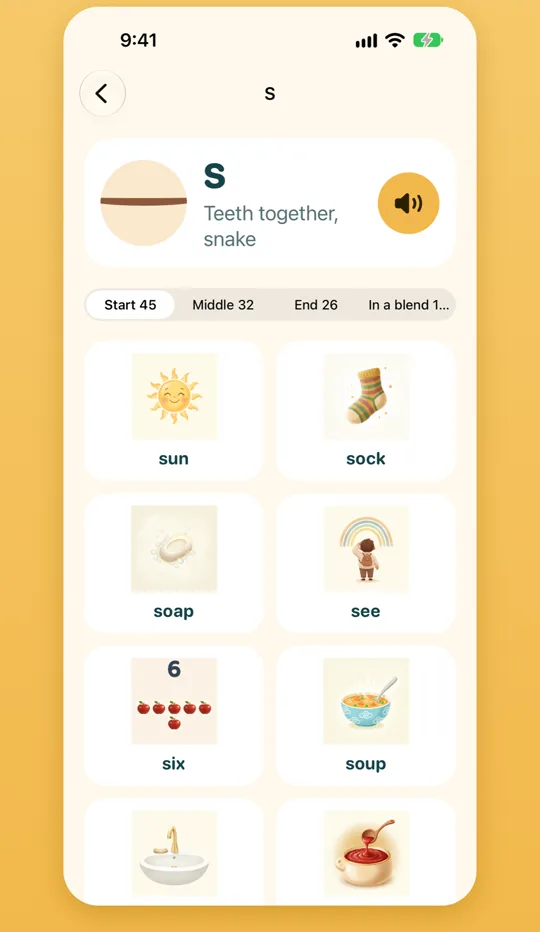
Choose a sound and get its words sorted by where the sound sits: at the start, in the middle, at the end, or in a blend. Every word has its own picture.
The bear, then your child
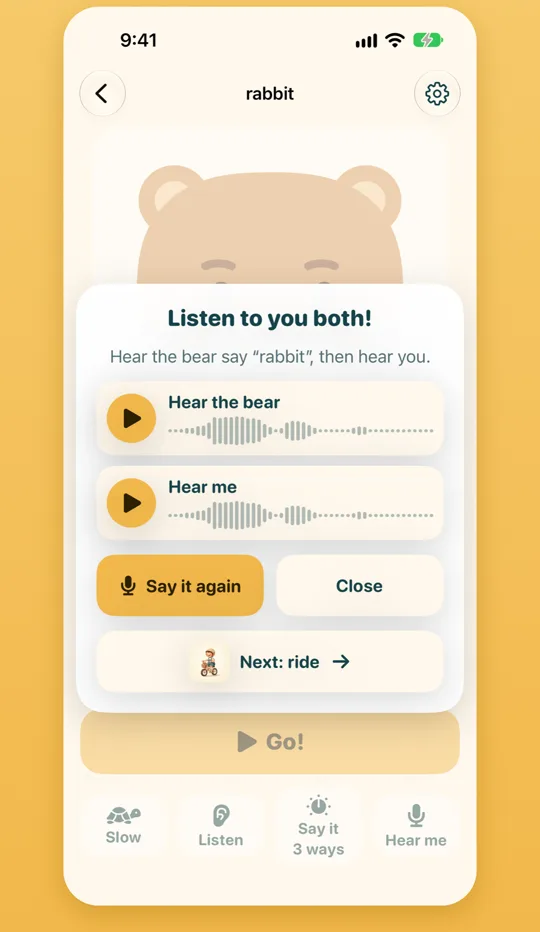
Tap Hear me, say the word, and the app plays your child’s try next to the bear’s. Quiet before and after is trimmed, so it is just the word. Recordings stay on your device.
- One word per take, nothing scored.
- Grown-ups can keep the first try next to the newest one in the recordings library.
A style for every age
From 2 years to 10, the same bear
A grown-up picks how the app looks for their child. Little ones get one big button; older children get a plan and the whole app.
More ways to practise
Play with the same words, different ways
Listening game
“Which picture did you hear?” The bear says a word, your child finds it.
Say it 3 ways
Whisper it, say it in a big voice, ask it like a question, or say it slowly. The bear shows each one first.
Mouth it
Just the lips, without a sound, for the sounds you can see on the lips.
Short sentences
For older children: the word inside a short sentence.
Paw stickers
A sticker for every finished turn. Turns are counted, never scored.
Calm by design
No timers, no buzzers, no “wrong”. Light and dark, on iPhone and iPad.
See it in action
Five short films from the app
Real screens with the app’s own voice. Tap a film to play it.
For grown-ups
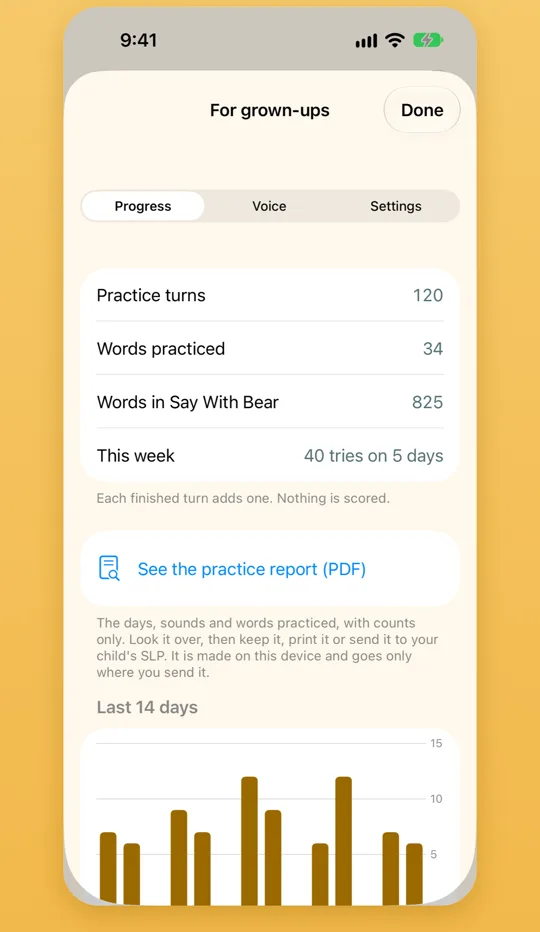
Counts, not scores
Behind a parent check, the grown-ups corner has what you need to practise well at home, and nothing that grades your child.
- Every sound explained: what it looks like, typical ages, common swaps, and a tip for home.
- Practice counts and days, and the focus sound, for this week and the last two.
- A recordings library by word, where the first take sits next to the newest.
- A practice report you can save as a PDF or share with your child’s speech-language pathologist.
- A parent check in front of purchases, sharing, settings and deleting recordings.
Private by design
Nothing about your child leaves your device
No accounts, no ads, no tracking, and no third-party software that collects data. The app works offline. Recordings stay on your device and are kept out of backups; one leaves only if a grown-up shares it. Read the privacy policy.
Free to try
Start with 10 words, free
Try every way to practise on the first 10 words. If it suits your child, buy once. There is no subscription.
The first 10 words
- Watch, Slow, Hear yourself and the games
- No account, no ads
Levels 1 to 5
- 280 words, from the lips to shush & sing
- Every part of the app
- One purchase
Packs, or the lot
- R & TH sounds, Blends, Longer words, Short phrases, Sight words
- Everything opens every pack, including packs added later
All one-time purchases, shared with your family through Family Sharing. The App Store shows the price for your country.
Questions
Good to know
Is Say With Bear speech therapy?
No. Say With Bear is a practice tool for children and their grown-ups. It gives no scores and makes no diagnosis. If you have questions about your child’s speech, talk to a speech-language pathologist.
What ages is it for?
Children from 2 to 10, practising with a grown-up. A grown-up picks one of five styles, from one big Play button for the youngest to the full app for big kids.
Does it need the internet?
No. Everything works offline. Purchases go through Apple’s App Store.
Does the app listen to my child?
Only when your child taps Hear me, and only to play their try back next to the bear. The microphone is asked for the first time Hear yourself is used, never at launch. Recordings stay on your device, are not included in backups, and nothing is scored.
Whose voice is it?
A warm, clear narrated voice, made for the app. Every word plays the same clip every time, slowly first and then at normal speed. The app never uses your device’s text-to-speech.
Which devices does it run on?
iPhone and iPad, with full iPad layouts. The words are in English.
What is free?
The first 10 words, with every way to practise them. The main words are one purchase, the add-on packs are one-time purchases too, and Everything opens every pack, including packs added later. No subscription, and purchases are shared through Family Sharing.
Say it with Bear
Coming soon to the App Store, for iPhone and iPad. Questions before then? Email support@plapl.app.